

Why a Battery Backup is Your Basement’s Best Friend
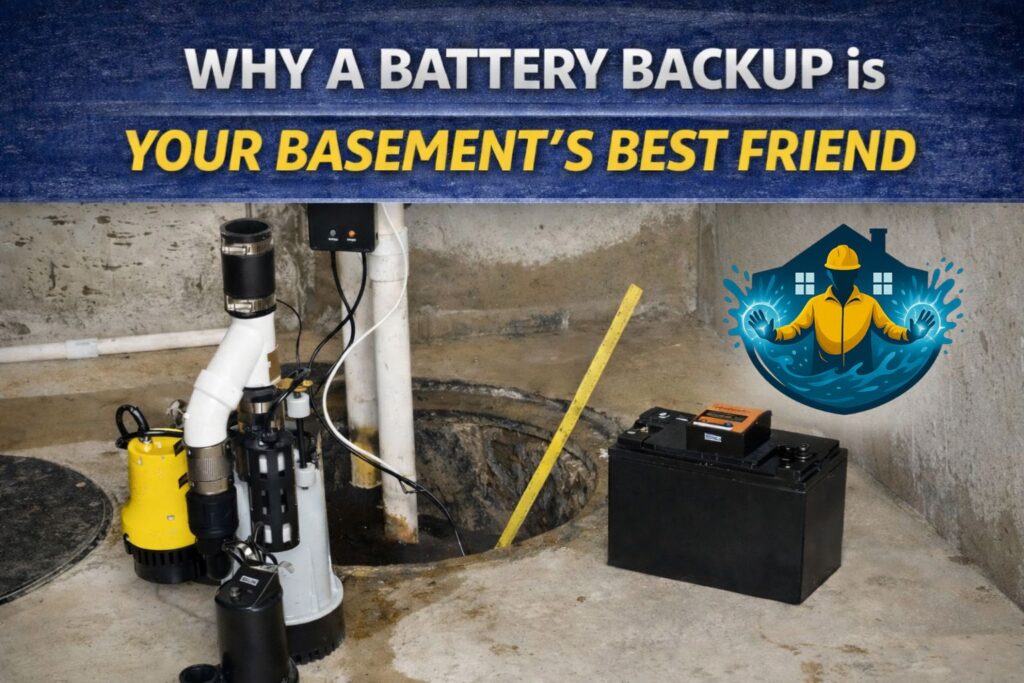
To connect battery to sump pump, you need to install a battery backup system. The basic steps are:
- Choose your system – A dedicated DC backup pump or an inverter system.
- Connect the battery – Attach the RED cable to the POSITIVE (+) terminal and the BLACK cable to the NEGATIVE (-) terminal.
- Install the backup pump – Place it in the sump pit next to the primary pump.
- Connect the controller – Plug the charger into a grounded outlet and connect all cables.
- Test the system – Lift the float switch to ensure the backup pump activates.
Power outages often happen during heavy storms when you need your sump pump most. Without electricity, your primary pump is useless, leaving your basement vulnerable to flooding. A battery backup system automatically takes over, protecting your home from thousands of dollars in water damage.
Backup systems also activate if your primary pump fails or gets overwhelmed. This redundancy is key to keeping your basement dry. Most homeowners choose a dedicated DC backup pump system, which uses a separate 12-volt pump, because it’s simple and reliable.
I’m Nelson Manso, owner of Premier Basement Waterproofing, and I’ve been installing sump pump systems in Monmouth County for 29 years. When homeowners ask me how to connect battery to sump pump systems, I stress that proper installation is everything. A backup only works if it’s set up correctly from the start.
A battery backup offers true peace of mind. When a storm hits and the power goes out, you can relax knowing your basement is protected. This proactive step safeguards your belongings and preserves your home’s structural integrity and value.
How to Connect a Battery to Your Sump Pump: A Step-by-Step Guide
Choosing Your System and Components
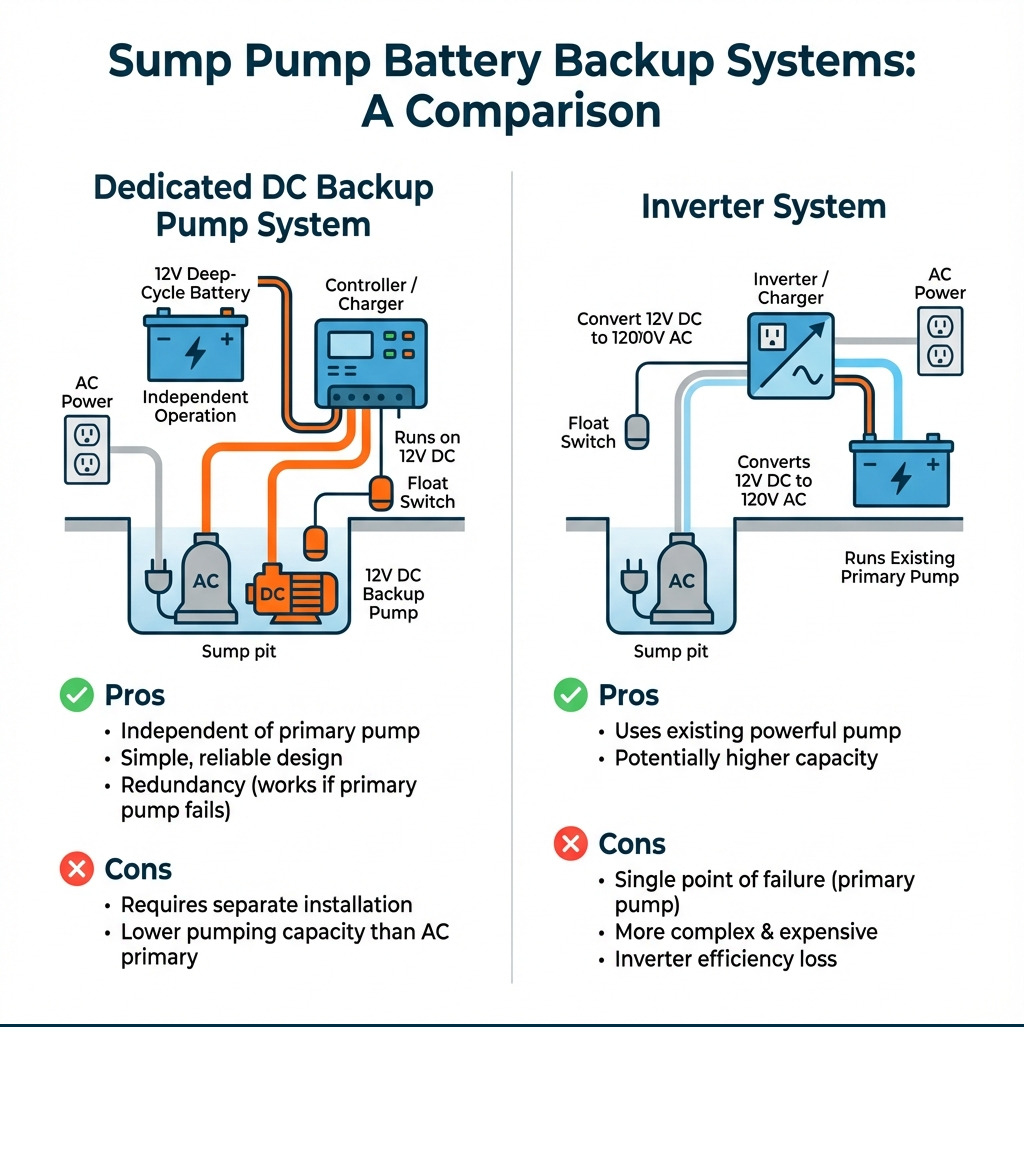
Before you learn how to connect battery to sump pump, you must choose the right system. The two main options are a dedicated DC backup pump or an inverter system.
Dedicated DC Backup Pump System
This is the most common and reliable choice. A separate 12-volt DC pump sits in the sump pit with your main AC-powered pump. It has its own float switch and runs directly off a battery, automatically taking over if power fails or the main pump can’t keep up.
Inverter System
This system uses an inverter to convert 12V battery power to 120V AC power, running your existing primary pump. This approach requires a powerful and expensive pure sine wave inverter to handle the pump motor’s high startup power draw. Inverters also constantly use some battery power even when idle, which reduces overall runtime.
Pumping Capacity (GPH)
When choosing a backup pump, its Gallons Per Hour (GPH) rating tells you how much water it can move. A capacity of 800–2,000 GPH is generally sufficient for backup use during an outage.
Battery Types
The battery is the heart of your backup system. Choosing the right one is crucial.
- Deep-Cycle Lead-Acid Batteries: The most common choice, designed for sustained power discharge. They come in two main types:
- Flooded Lead-Acid: Require monthly water level checks.
- AGM (Absorbent Glass Mat): Sealed, maintenance-free, and spill-proof.
- LiFePO4 (Lithium Iron Phosphate) Batteries: A newer, lighter, and longer-lasting option with a higher upfront cost.
Here’s a quick comparison:
| Feature | Lead-Acid Batteries (Deep-Cycle) | LiFePO4 Batteries |
|---|---|---|
| Lifespan | 3-5 years | 10+ years |
| Cost | Lower upfront cost | Higher upfront cost |
| Maintenance | Flooded types require water checks; AGM are maintenance-free | Generally maintenance-free |
| Weight | Heavier | Significantly lighter |
| Performance | Capacity decreases with high discharge rates | Consistent power output; can be deeply discharged |
| Charging | Requires specific charging profiles | Best with a LiFePO4-specific charger |
While LiFePO4 batteries are more expensive, their longer lifespan and superior performance can make them a better long-term value.
Essential Components
- Controller Unit: The system’s brain. It monitors power, charges the battery, and switches to backup power when needed. It also typically has alarms.
- Float Switch: Activates the pump when water levels rise. The backup float switch is usually set slightly higher than the primary one.
- Battery Box: A plastic case to protect the battery from moisture and damage.
For more detailed information about keeping your basement dry, check out our Sump Pumps page or call us to schedule an inspection.
Safety First: Pre-Installation Checklist
Prioritizing safety is non-negotiable when working with electricity and water. Before you begin, follow this checklist.

Electrical Safety
- Disconnect Power: ALWAYS unplug your primary sump pump from its power source before starting.
- Grounded Outlet: The system’s charger must plug into a properly grounded 3-prong outlet. Never use an adapter that defeats the ground.
- No Extension Cords: Do not use extension cords for sump pumps or their backup systems, as they pose a fire hazard. The outlet should be within the cord’s reach, ideally 4+ feet above the floor.
Battery Safety
Lead-acid batteries contain corrosive acid and can emit explosive hydrogen gas. Handle with care.
- Ventilation: Work in a well-ventilated area to dissipate any hydrogen gas.
- Eye Protection: Always wear safety goggles when handling batteries.
- No Sparks or Flames: Keep all ignition sources (sparks, flames, cigarettes) away from the battery.
- Remove Metal Jewelry: Take off rings, watches, and bracelets that could short-circuit the battery terminals.
- Correct Polarity: Double-check that you connect positive to positive and negative to negative to avoid damaging your equipment.
For a comprehensive guide on installation safety, I highly recommend reviewing a manufacturer’s instructions, such as this detailed guide on installation safety. It’s better to be overly cautious.
Step-by-Step Installation: How to connect a battery to a sump pump
With safety covered, it’s time to install your system.
- Prepare the Sump Pit: Clean any debris from the pit. Ensure there’s enough space for both the primary and backup pumps to operate without their float switches interfering with each other.
- Install the Backup Pump: Lower the backup pump into the pit. Position it so its intake is clear and it sits slightly higher than the primary pump.
- Connect the Discharge Pipe: Install a separate check valve on the discharge pipe for your backup pump to prevent water from flowing back into the pit. Drill a 1/8-inch “weep hole” in the pipe between the pump and the check valve to prevent air lock. Use PVC cement and a rubber connector to join the backup discharge pipe into the main line.
- Position the Float Switch: Secure the backup pump’s float switch so it activates when the water level rises above the primary pump’s activation point but before it gets too high. Use zip ties to keep wires from tangling in the float.
- Place Battery in Box: Put the deep-cycle battery into its protective box. Place the box on a shelf or raised surface near the pit to keep it safe from water.
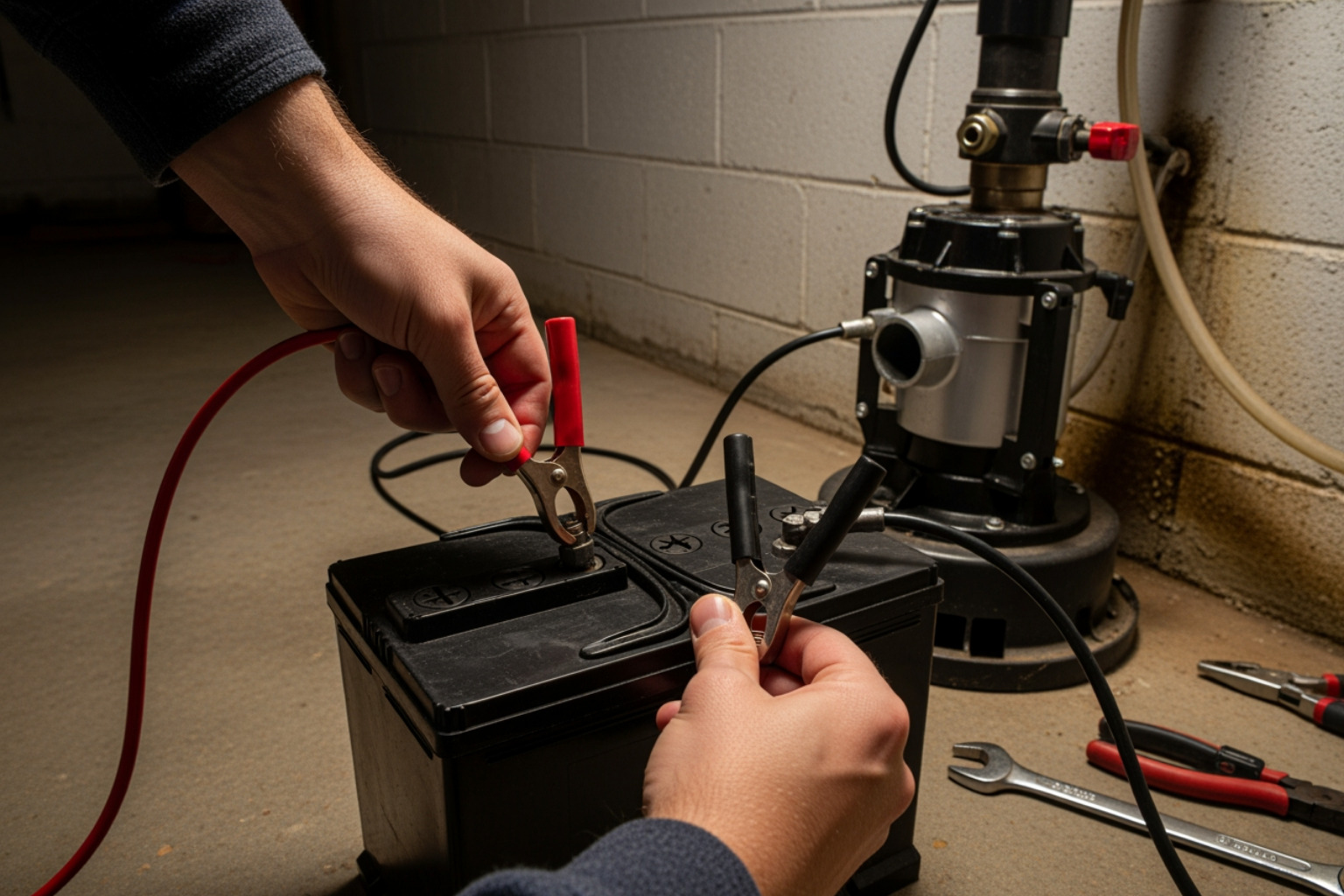
- Connect Battery Cables: This is the key step to connect battery to sump pump. With the charger UNPLUGGED, connect the RED cable from the controller to the POSITIVE (+) battery terminal. Then, connect the BLACK cable to the NEGATIVE (-) terminal. Ensure the connections are tight.
- Connect the Controller: Plug the backup pump’s power cord into the controller unit. Follow your model’s instructions for connecting all wires and sensors.
- Plug in Charger: Once all connections are secure, plug the controller’s power cord into a grounded 120V outlet. The unit will begin charging the battery.
- Test the System: Fill the sump pit with water to test both pumps. First, lift the primary pump’s float to ensure it works. Let the water rise further until the backup pump’s float switch activates. Verify the backup pump turns on and pumps water. You can also use the “Test” button on the controller.
Ongoing Maintenance and Testing
You’ve successfully managed to connect battery to sump pump, but the job isn’t done. Regular maintenance ensures your system is ready when you need it.
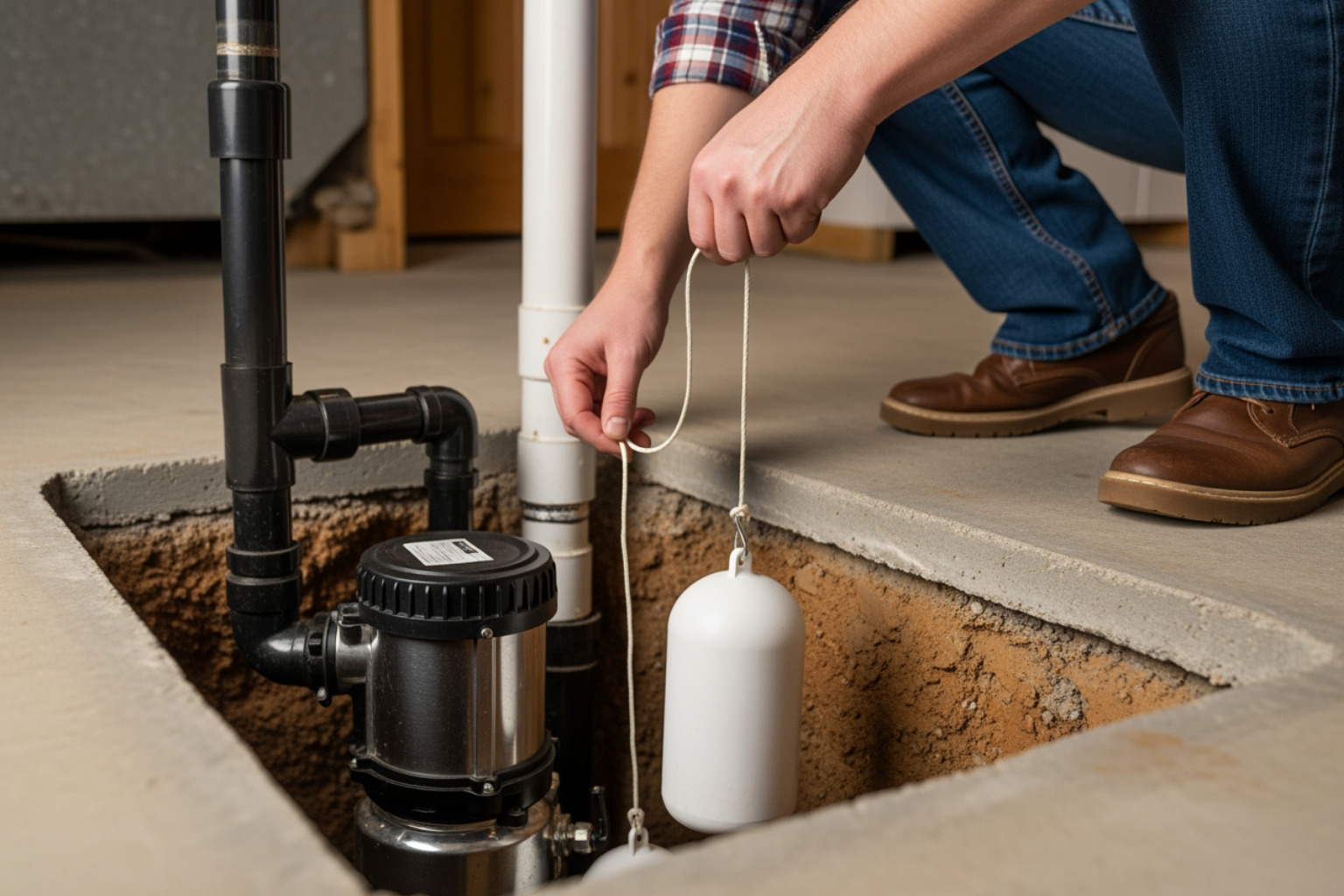
- Test Every 3 Months: At least quarterly, test your backup system. Lift the float switch manually or use the controller’s “Test” button to ensure the pump activates and any alarms sound.
- Check Battery Water Levels (Flooded Lead-Acid): If you have a flooded battery, check the water levels monthly and top off with distilled water as needed. Never use tap water.
- Clean Terminals: Inspect battery terminals for corrosion. Clean any buildup with a wire brush and ensure connections are tight.
- Replace Battery on Schedule: Lead-acid batteries typically last 3-5 years, while LiFePO4 batteries can last 10+ years. Mark your installation date and plan for replacement.
- Check the Charger: Ensure the controller is always plugged in and indicates that it’s charging or maintaining the battery.
Regular maintenance is the key to reliable basement protection. For more ways to protect your home, explore our Basement Waterproofing solutions.
Common Problems and Troubleshooting
Even the best systems can have issues. Here’s how to troubleshoot common problems you might face after you connect battery to sump pump.
-
Alarm Beeping Constantly: Your system is trying to tell you something. Common alerts include:
- Power Failure: Main AC power is out, and the system is running on battery. You can usually silence this alert temporarily.
- Battery Low/Problem: The battery is low on charge or failing and needs attention.
- Pump Activated: The backup pump has turned on, which could indicate a primary pump failure.
- Fuse Alarm: A fuse in the control unit or for the pump has blown.
- Battery Fluid Low: On some systems, this indicates a flooded lead-acid battery needs distilled water.
-
Pump Won’t Activate:
- Check that the charger is plugged into a working outlet.
- Ensure the float switch is not stuck or obstructed.
- Verify all battery and pump connections are tight.
- Check for a blown fuse in the control unit.
-
Battery Not Charging:
- Ensure the charger is plugged into a working outlet.
- Check for loose battery cable connections.
- The battery may be old and unable to hold a charge.
-
Clogged Pump: Debris in the sump pit can clog the pump’s intake. Clean your pit regularly to prevent this.
While the cost of battery backup systems can vary, with Angi reporting system costs ranging from $100 to $1,000, the peace of mind and flood protection they offer are invaluable.
When to Call the Pros for a Fail-Proof System
Now you know how to connect battery to sump pump. The benefits are clear: flood prevention, protected home value, and peace of mind during New Jersey storms.
While this can be a DIY project, the complexities of wiring, pump sizing, and ensuring a truly reliable integration can be daunting. An incorrect installation can fail when you need it most and even pose safety risks.
If you want the absolute assurance that your system is installed perfectly, it’s best to call the experts. At Premier Basement Waterproofing, we provide honest and professional solutions for homeowners in Monmouth County, Freehold NJ, Manalapan Township NJ, and surrounding areas. We handle everything from selecting the right system to expert installation and testing, giving you guaranteed protection.
Don’t leave your basement’s safety to chance. For a fail-proof sump pump system installed by local professionals, please Contact us for a professional sump pump installation. I’m here to help.
